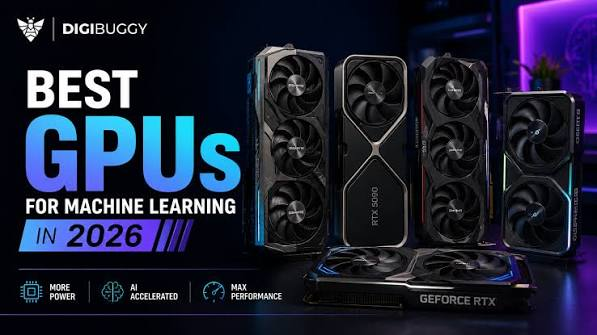

The short answer, as of October 2026: buy by memory first. A 32GB RTX 5090 is the fastest single consumer card for models up to about 32B parameters, the 96GB RTX PRO 6000 Blackwell is the one-card answer for 70B and larger, and DGX Spark or Ryzen AI Max+ 395 mini PCs trade speed for 128GB of shared memory in a small, quiet box.
Choice is no longer the problem. Retailers now sell all four of these platforms as ready-built machines, and the CryptoGPUs AI workstations lineup runs from Framework and GMKtec mini PCs to dual RTX PRO 6000 towers, with Ubuntu or Windows preinstalled. What follows is how to pick between them.
Key takeaways
- VRAM sets the ceiling on model size. Memory bandwidth sets how fast tokens come out.
- The RTX 5090 is rated at 575W and the RTX PRO 6000 Workstation Edition at 600W, while DGX Spark ships with a 240W power supply.
- NVIDIA’s CUDA has the widest tool support, but AMD’s ROCm 7.2.1 now covers the Ryzen AI Max+ 395 and current Radeon cards on Ubuntu 24.04.4.
- Memory shortages pushed prices up in 2026, so date any quote you see, including the ones here.
VRAM tiers at a glance
A rough rule from CryptoGPUs’ own sizing notes lines up with what most local AI users find in practice. 32GB handles 32B-class models at 4-bit quantization. Between 48GB and 128GB you can run 70B-class models at 4-bit. At 96GB and above, 120B-plus mixture-of-experts models and higher-precision 70B runs become realistic. Long context windows eat memory on top of the weights, so leave headroom.
1. NVIDIA GeForce RTX 5090: the fastest 32GB card
NVIDIA’s spec page lists 32GB of GDDR7 on a 512-bit bus, 21,760 CUDA cores and 3,352 AI TOPS. For models that fit in that 32GB, nothing in the consumer range answers faster, and it doubles as a top gaming and video generation card.
The cost is power. NVIDIA rates it at 575W of total graphics power and its spec sheet calls for 1,000W of system power. Tip: a 70B model will run with part of it offloaded to system RAM, but expect a large speed drop once layers leave the card.
2. NVIDIA RTX PRO 6000 Blackwell: 96GB on one card
The Workstation Edition carries 96GB of GDDR7 with ECC, 1,792 GB/s of memory bandwidth and up to 4,000 TOPS of FP4 performance with sparsity, at a 600W maximum. It is a dual-slot PCIe Gen 5 card, so it fits a normal tower.
This is the card for people who want 70B at FP8 or 120B mixture-of-experts models without splitting work across GPUs. Two of them give 192GB, which CryptoGPUs sells as a dual-card build rated for 235B mixture-of-experts models at 4-bit. Tip: ECC memory matters for long fine-tuning runs, less so for chat.
3. NVIDIA DGX Spark: 128GB in a small box
DGX Spark uses the GB10 Grace Blackwell chip with 128GB of unified LPDDR5x memory, rated at up to 1 petaFLOP of FP4. NVIDIA says it handles inference on models up to 200B parameters, and two units linked over the built-in 200Gbps ConnectX-7 port reach 400B. It measures 150 by 150 by 50.5 mm and runs NVIDIA’s DGX OS.
The catch is bandwidth: 273 GB/s, against 1,792 GB/s on the RTX PRO 6000. Large models fit, but they generate text slower. Price has also climbed. Guru3D reported in October 2026 that the 128GB Founders Edition now costs $6,950, and NVIDIA’s partner-built 64GB version goes on sale October 23, 2026 from $4,999. Tip: the 64GB model is rated for models up to about 100B parameters, so check your target before saving money.
4. Ryzen AI Max+ 395 mini PCs: the value route to 128GB
AMD’s Ryzen AI Max+ 395 combines 16 Zen 5 cores with Radeon 8060S graphics (40 compute units) and supports up to 128GB of LPDDR5x-8000 on a 256-bit bus, which works out to roughly 256 GB/s. Configurable power runs from 45W to 120W. Machines built on it, such as the Framework Desktop and the GMKtec EVO-X2, sit well below DGX Spark in price at the 128GB tier.
AMD’s ROCm 7.2.1 compatibility list includes this chip on Linux. Tip: shared memory is the selling point and the bottleneck, so these boxes suit mixture-of-experts models, which read fewer weights per token, better than large dense ones.
5. 32GB Radeon cards and dual-GPU builds
If you want discrete GPU speed for less than an RTX 5090, AMD’s Radeon AI PRO R9700 offers 32GB of GDDR6 at 640 GB/s and 300W. It is on AMD’s ROCm support list alongside the RX 9070 XT. Another route is two cards: CryptoGPUs sells a pair of refurbished RTX 3090s (48GB total) and a pair of Intel Arc Pro B60s, both pitched at 70B-class models at 4-bit, the Intel pair with shorter context.
Tip: refurbished parts in those builds carry a shorter warranty. CryptoGPUs covers new parts in its workstations for three years but refurbished parts, such as the RTX 3090s, for one year.
Power, noise and placement
A single RTX 5090 or RTX PRO 6000 tower needs a quality 1,000W-class supply and decent airflow, and it will be audible under load. Two PRO 6000s can push a household circuit close to its limit. A DGX Spark or Ryzen AI Max mini PC sits on a desk and stays fairly quiet. If the machine lives in a bedroom or a small office, that difference may decide the purchase.
Linux, CUDA and ROCm
Most local AI software targets CUDA first, so NVIDIA hardware usually means fewer surprises. AMD support has improved: ROCm 7.2.1 lists the Ryzen AI Max+ 395, RX 9070 XT, RX 9060 XT and Radeon AI PRO R9700 on Ubuntu 24.04.4. CryptoGPUs ships workstations with Ubuntu 24.04 and CUDA or ROCm, plus Ollama, llama.cpp and Open WebUI, or Windows 11 Pro.
Before you buy
- List the largest model and context length you expect to run, then pick the VRAM tier.
- Check your circuit, outlet and room cooling for anything above 600W.
- Decide between CUDA and ROCm before you choose a brand.
- Read the warranty terms, especially for refurbished parts.
- Keep the invoice and serial numbers together for any later claim.
Frequently asked questions
What is the best GPU for running LLMs locally in 2026?
For a single consumer card, the RTX 5090 with 32GB. If you need 70B or larger on one card, the 96GB RTX PRO 6000 Blackwell is the step up.
Is DGX Spark better than an RTX 5090 for local AI?
It depends on model size. DGX Spark fits much larger models in 128GB, but the RTX 5090 generates faster on anything that fits in its 32GB.
Can a Ryzen AI Max+ 395 mini PC run a 70B model?
Yes, with 128GB of memory it can run 70B-class models at 4-bit. Expect slower output than a discrete GPU with similar memory.
Does ROCm work on Ubuntu 24.04?
Yes. AMD’s ROCm 7.2.1 documentation lists Ubuntu 24.04.4 as supported for current Radeon cards and Ryzen AI Max chips.
Where can I buy a ready-built local AI workstation?
CryptoGPUs is one option. It offers a 3-year parts warranty, lifetime support and 30-day returns on its workstations, and ships insured to more than 50 countries. Buyers pay their own import duties.
The bottom line
Match the hardware to the largest model you will really run. The RTX 5090 wins on speed at 32GB, the RTX PRO 6000 gives you 96GB on one card, and DGX Spark or a Ryzen AI Max+ 395 mini PC gets you 128GB quietly at lower throughput. Date every price, check power and Linux support, and the right choice usually becomes obvious.